Description
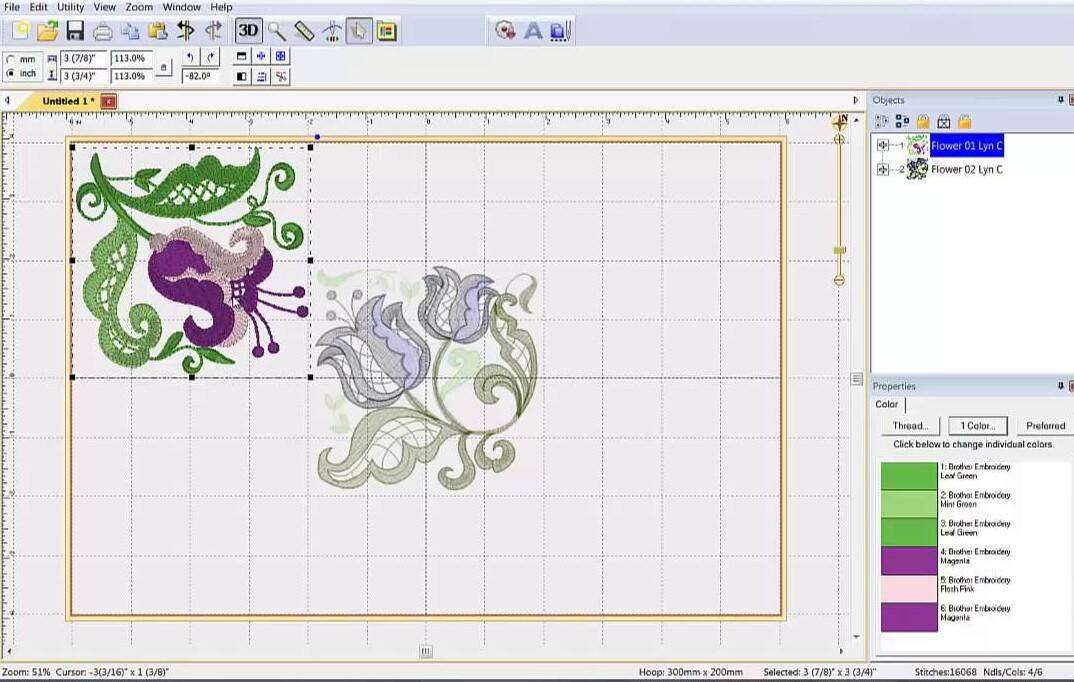
Drawings Essentials XII is a basic software to create embroidery quickly and easily using vector images or embroidery files.
Whether you are a beginner or already experienced it will help you bring out your creativity and the potential of your embroidery machine.
Its innovative features help you turn your creativity into beautiful embroidery, Drawings Essentials is software for embroidery machines suitable for all.
This advanced software allows you to edit embroidery designs by changing the shape, fill type, stitch direction, density and many other customizations.
This means that you do not have to worry about technical problems in creating your embroidery. And with all the features added in version 11, the possibilities are unlimited.
Compared with DRAWings ESSENTIALS XI, the 12th edition has more than 20 new functions. The most important ones are as follows.
New properties window
The properties window has been completely redesigned to be more practical, with groupings by property type that can be contracted to leave more space in the work area. also, when not needed, property windows are not shown.
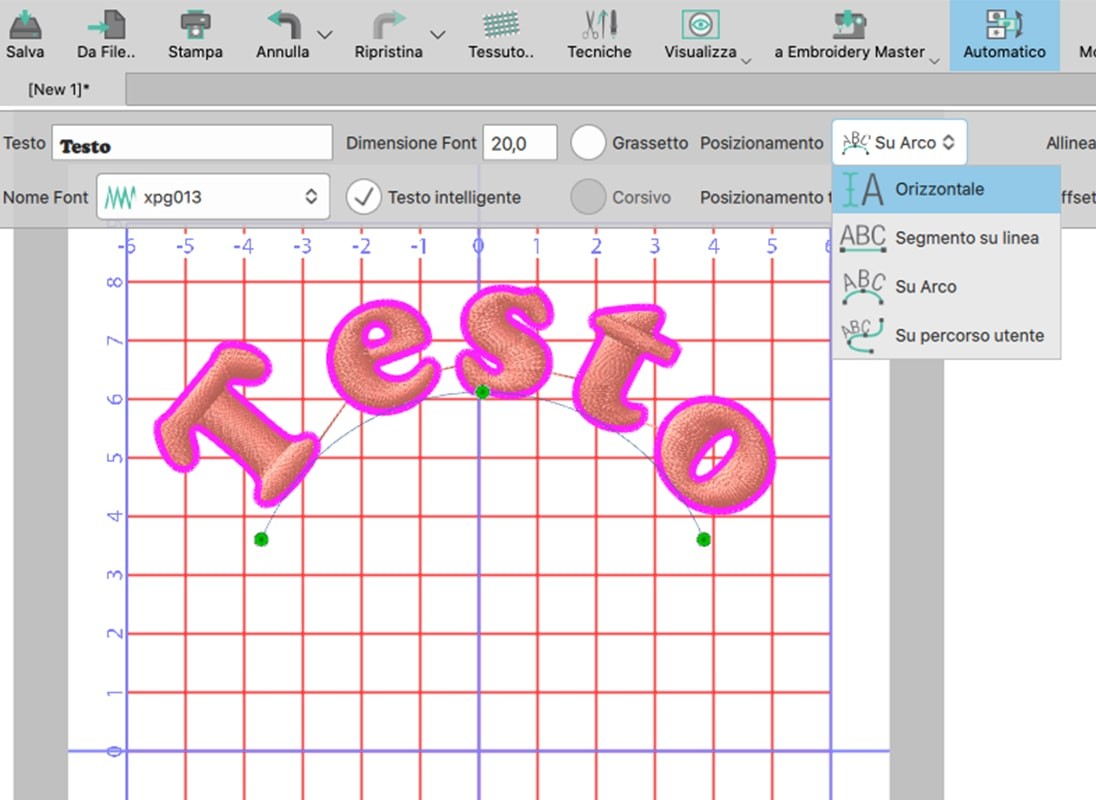
Vertical text
In this 12th edition, text can also be inserted vertically.
Enhanced manual mode
With the new manual mode, the fills and outlines of objects are separated so that they can be handled separately.
You can then decide for each object to insert/exclude the thread trimmer or apply forced stop of the machine.
When a new object is inserted it is no longer placed at the bottom of the sequences but is added immediately after the currently selected object.
When deleting a drawing element, the selection does not disappear and the object in the sequence following the deleted one is immediately selected.
All connection points between objects are now visible
Color selection
In this edition, the ability to also select colors by color code by yarn brand, by description (e.g., green, yellow, etc.) or by RGB code has been added.
Fits the frame
With this function added in this XII edition, the program, at the user's request, can fit any drawing to the frame automatically.
Show/Hide Objects
Unlike the previous edition it is now possible to show and hide objects while designing an embroidery design.
This function is really very useful: when you need to edit some objects in the background, it can certainly be convenient to hide objects in the foreground.
Change density in embroidery files (RAW)
With DRAWings ESSENTIALS XII you can change the density of even embroidery files (raw) that were not designed with DRAWings.
You can change the density of a section without changing its size up to +- 25%.
Excess knot removal
A function has also been added in this edition to reduce excess knots in a path. This function applies only to curved knots and not to squared knots to still maintain every edge of the shape.
Precision Viewfinder
Now you can align your objects easily thanks to the new precision viewfinder that shows vertical and horizontal guidance along the entire working area.
Key Features
- Sequence manager redesigned with new features
- Find and organize drawings through File Browser
- Fits drawing and frame in the software display window
- Additional units of measurement
- Automatic centering of the design in the frame
- Dark theme compatible with new Mac OS features
Creativity
- Create drawings using Drawings built-in Designer
- Converts any vector design to embroidery
- Supports .AI .EP format up to CC version
- Import embroidery files as is and edit them with the new tools
- Combine embroidery files with vector files
- Use CorelDraw as a drawing tool to create embroidery designs (only through the copy and paste option)
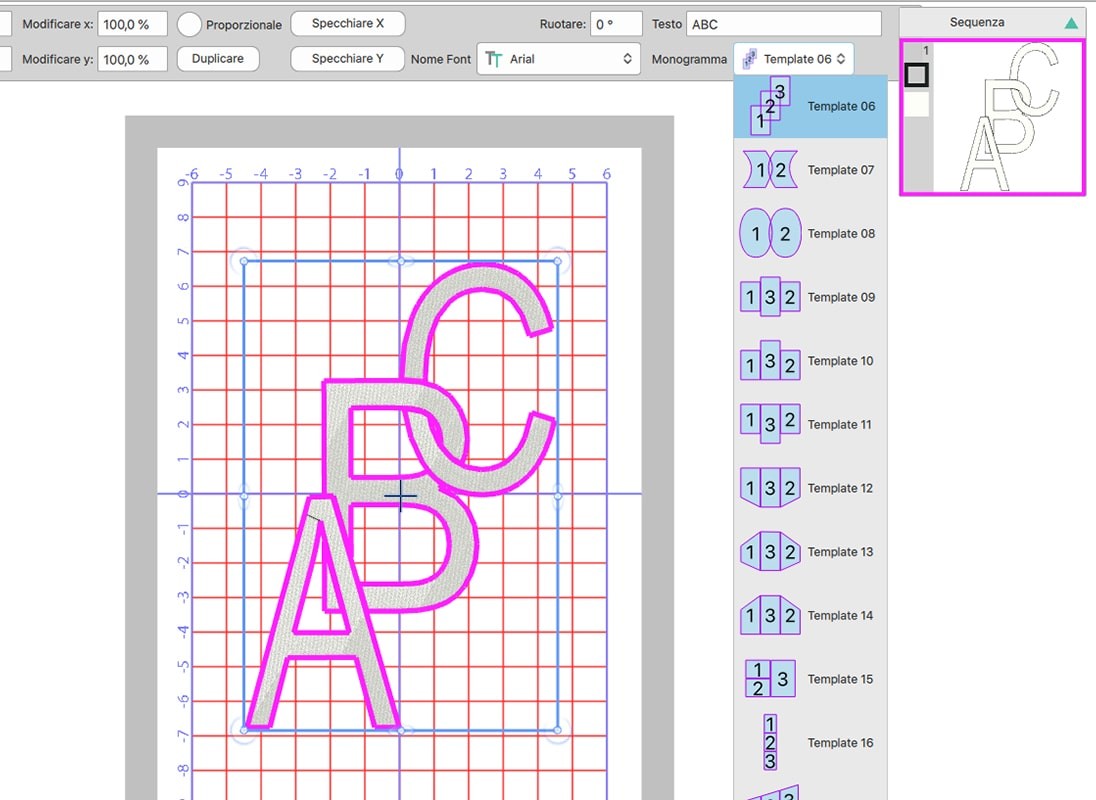
- Create monogram embroidery
Embroidery Tools
- Complete text tools (add text, edit text trajectory, edit text, and more)
- Ability to use abbreviations in text drawings
- Rectangular filling/kaleidoscope arrangement
- Possibility of rotation of rectangular arrangement during drawing
- Circular filling arrangement with or without equidistance
- Self-edge option with satin stitch technique and stitching
- Auto-edge option with hole removal capability
- Adds new objects as clones
- Self-sequence control
- Manual embroidery sequence using the sequence panel
- Sequence panel-grouping objects by color
- Converts open fonts (.otf) to embroidery
- Create designs to cut out for appliqué or other uses
- Direct connection to the most common cutting plotters on the market
- Ability to save clipping drawings as .plt, .svg, or .dxf files
- Ready-made framed monograms
Editing tools
- Sets the fabric, embroidery machine and hoop by default
- Edit/transformation setting
- Possibility of point change
- Object transformation (move, resize, rotate, skew, duplicate)
- Align, stretch, and auto-size objects
- Ability to group, separate, combine and fragment
- Rectangular and lace selection with a single click
- Preset selections (select all, no selection, reverse selection)
- Selection by color
- Selection by stitch type even without any object selection
- Node/shape setting
- Improved embroidery quality along with a new fabric category
- Ability to separate all grouped objects at once
- Advanced appliqué options
- Cutting plotter parameter adjustment
- Cutting plotter mat selection
Export drawings
- Saves the most common commercially available embroidery file extension designs
- Export to Dropbox
- Export work to vector file (svg file)
- Printing the created design
- Export the embroidery image in realistic 3D preview
- Exports .VP3, .MST and .SEF file formats
Embroidery optimization
- Section the design among 8 different embroidery parameters
- Automatic cutting of overlapping shapes
- Maintains the order of the overlay sequence
- Professional quality of embroidery
- Eliminates wire cuts between combining objects
- Designs and embroidery included
- Adding and improving quilting options
- Ability to mirror any design
- Embroidery transformations
- Specifies appliqué outlines, location, and attachment by default
- Offset control for fill stitch and satin stitch in series
- Direction control for satin, satin and piping objects
- Divides satin objects and piping
Work area
- Support for high DPI monitor (resolution)
- Work area setting with ability to save preference
- New welcome page with video tutorials
- Build-in design browser to search and store your designs
- Selection techniques
- Complete customization of the work area according to your preferences
- Opens multiple drawings in tabs
- Realistic 3D preview with editing capability
- Inertia/kinetic slip
- Slow redesign - embroidery machine simulation
- Selection among different fabrics
- Design with frame among the most popular on the market
- Multi-frame support
- Visualization with rotation and frame movement
- Using guidelines, ruler and grid for accurate transformation of shapes
- Full color panel
- Harmonious colors to make beautiful combinations
- Selecting colors from the color chart
- Countless colors available on palette
- Color search on palette
- Automatic matching of actual thread color
- Short name in the name or color palette
- Intelligent auto-backup system
- Automatic software update
Types of files you can import:
- Corel Presentation Exchange (.CMX)
- Encapsulated Postscript (.EPS)
- Enhanced windows metafile (.EMF)
- Scalable vector graphics (.SVG)
- Adobe Illustrator (.AI)
- AutoCAD (*.DXF)
- Windows metafile (*.WMF)
- HP GL file (.PLT)
Saves designs in the most common commercially available embroidery files:
- .ZHS (Necchi))
- .fcm (Brother plotters)
- .jef / .sew (Janome)
- .jef+ (Janome JEF+)
- .dst / .dsz / .dsb (Tajima)
- .tbf (Tajima TBF)
- .exp (Meico Expanded)
- .sef (SEF xp)
- .sst (SWF)
- .ksm / .pcs /.pcm (Pfaff)
- .xxx (Singer)
- .tap (Happy)
- .M3 (Juki)
- .100 (Toyota)
- .mst (Laesser)
- .txt (PC Quilter)
- .qii (Statier Stitcher)
- .pec / .pes (Brother / Baby Lock / Bernina)
- .hus (Husqarna)
- .vip (Husqvarna Viking)
- .vp3 Husqvarna Viking/Pfaff)
- .shv (Viking Designer 1)
- .cqp/ / .cmd (CompuQuiter)
- .1?? (Mitshubishi HD)
- .U?? (Barudan FDR)
- .Z?? (ZSK TC)
- .exp (Bernina EXP)
- .ebd (Sun Star)
Includes:
- 198 CMX Vector Files
- 203 NGS Embroidery
- 466 Embroidery DRAW
- 145 SVG Vector Files
Requires Windows 10 and 11 updated with the latest Service Packs or MacOS last and penultimate versions from the software release date
Also consider the Drawings Creative 12 version with many automated functions